

Turn any screen into a shared family planner
Glee Calendar helps your family stay on top of the week ahead. Start with an iPad or Apple TV in the kitchen today, and build toward a shared calendar everyone can see at a glance on more screens over time.


-01WeekView.png)
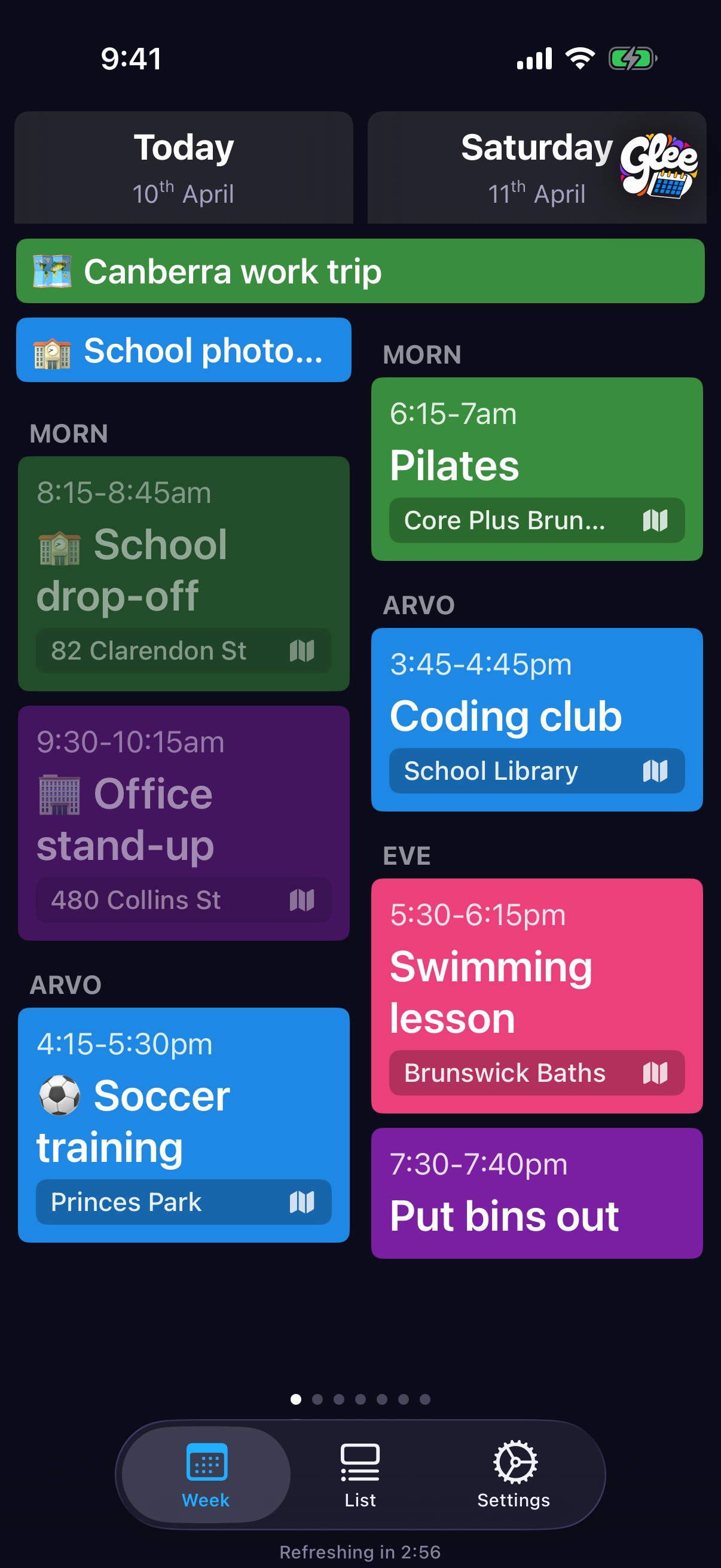
Made for the kitchen
A weekly planner your whole family can actually see
Glee turns a shared screen into the family calendar hub. Keep it in the kitchen, on the counter, or on the wall so everyone can quickly check what is happening this week.
Works with the calendars you already use
You do not need to start over or move your family to a new calendar system. Glee works with your existing setup, so it is easy to bring everyone’s plans together in one shared view.
Easy to set up, easy to keep updated
The iPhone app makes it simple for family members to connect calendars and keep the shared planner current. Once it is set up, everyone gets the benefit of a clearer week.
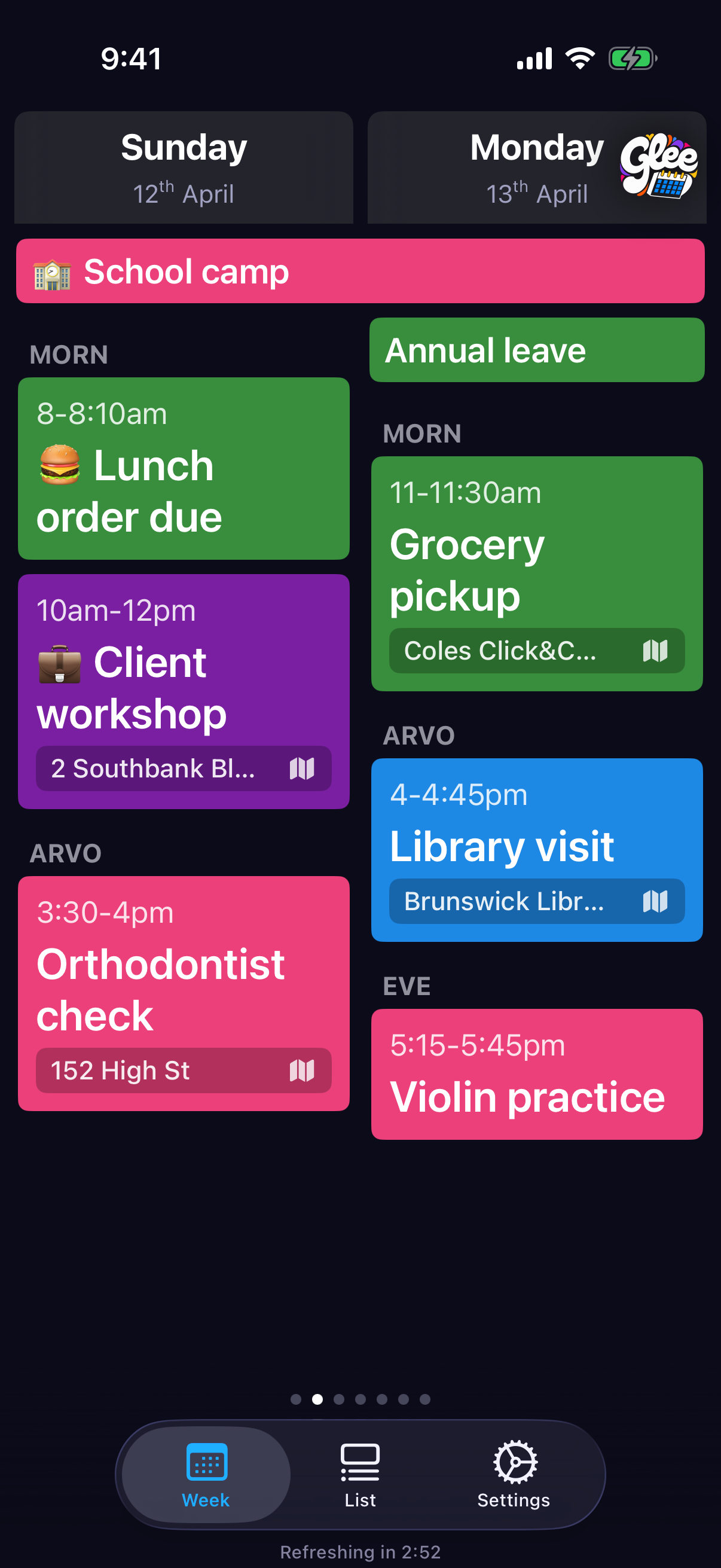
See the week ahead, including the weather
Glee shows weather forecasts alongside your plans, so it is easier to prepare for school runs, sport, outings, and busy afternoons.
Get set up in a few simple steps
Download Glee Calendar
Download the app on the Apple device you want to use first.
Connect your calendars
On iPhone and iPad, the easiest option is to tap Add iPhone/iPad Calendar on the first screen. This lets you quickly bring your existing calendars into Glee.
Put Glee on your shared screen
Open Glee on the device your family will see most often, such as the kitchen iPad or living room Apple TV, and enjoy a clearer weekly view.
No complicated setup required
Glee is designed to fit around the calendar setup you already have, so your family can get value quickly without changing how everyone works.
Built for Apple screens around the home
Built for iPad and Apple TV, with iPhone support too
Start with the screens that make the biggest difference at home. Use iPad or Apple TV as the shared family display, then use iPhone to help manage setup and keep everything in sync.
-01WeekView.png)
- Shared displays: iPad and Apple TV
- iPhone: setup and day-to-day management
- Mac availability
Frequently asked questions
Here are a few common questions about Glee Calendar, supported calendars, devices, and setup.
What calendar services are supported?
On iPhone and iPad, Glee works with Apple calendars available on your device and with Google Calendar. On Apple TV, Glee supports Google Calendar because tvOS does not provide built-in Apple calendar access.
Do I need to move to a new calendar system?
No. Glee is designed to work with the calendars you already use, so you can keep your existing setup and still create a shared family view.
How many calendars can I connect?
Glee supports unlimited calendars, including multiple Google accounts, with assignable colours to help keep everything easy to read.
Which devices does Glee work best on?
Glee is especially useful on iPad and Apple TV as a shared household display. iPhone is helpful for setup and day-to-day calendar management.
Does Glee show weather?
Yes. Glee includes weather information to help you plan around the week ahead, including useful context for school, sport, travel, and outdoor events.
How does Glee handle privacy?
Glee does not route your calendar data through our servers. Calendar data is fetched directly to your device, and we do not collect or store your personal calendar information.
Need a hand?
If you need help setting up Glee Calendar, have a question about supported devices, or run into a problem, we are happy to help.
We can help with setup questions, calendar connection issues, and general app support questions.
Contact support
Email hello@glee-calendar.au with a short description of the issue and any steps you have already tried.
To help us troubleshoot faster
When you contact support, it helps to include your device type, your iOS or tvOS version, and whether you are using Apple calendars or Google Calendar.
Ready to set up your family planner?
Get Glee Calendar running on your shared screen and make the week easier to see at a glance.
Download Glee Calendar
Available on the App Store, Mac App Store, and Apple TV.